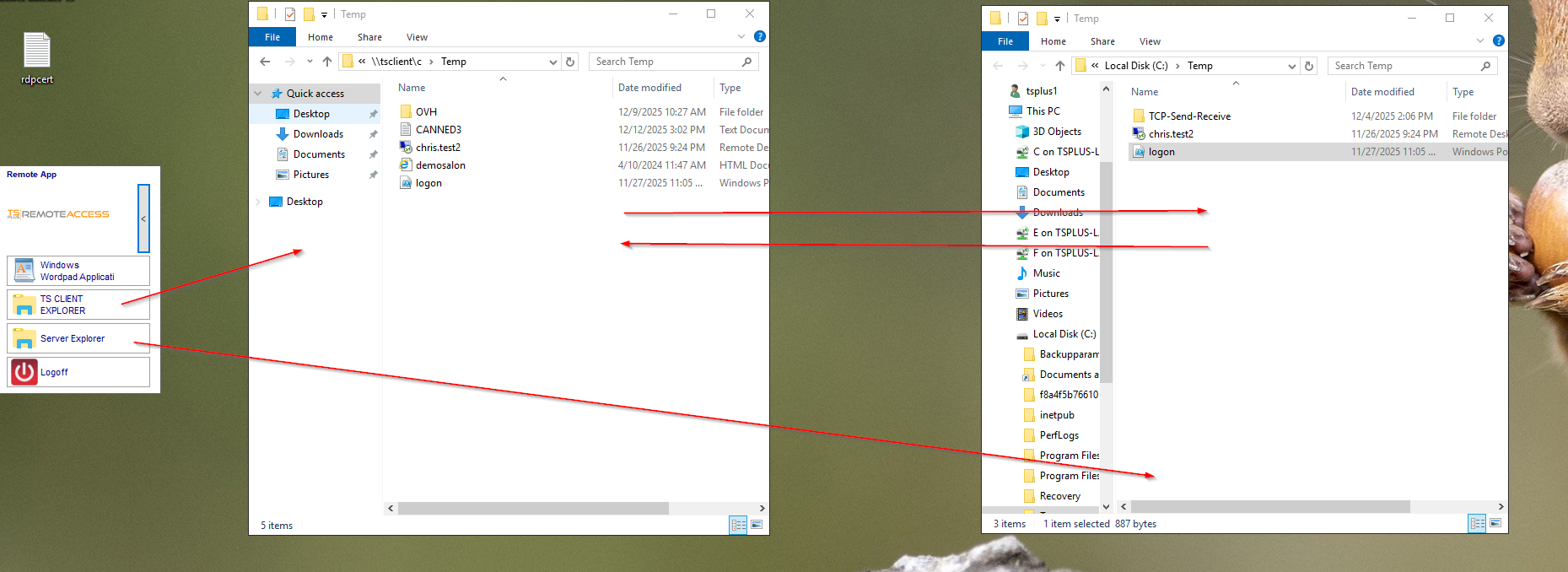
Drag-and-drop file transfer is not natively supported in RemoteApp/RDP.
However, there is a workaround in both RemoteApp and RDP, using drive redirection :
1- Assign a Floating Panel to an user (for instance)
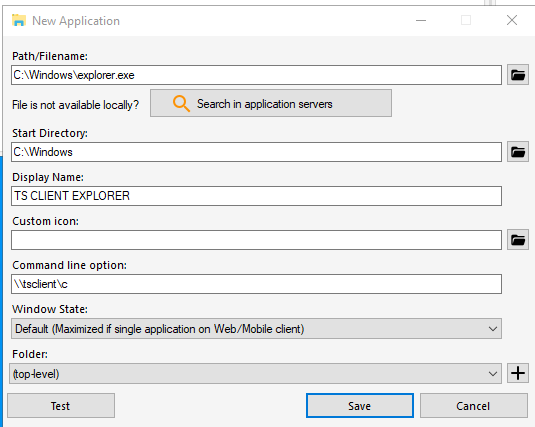
2- Assign Windows Explorer configured to use tsclient to same user
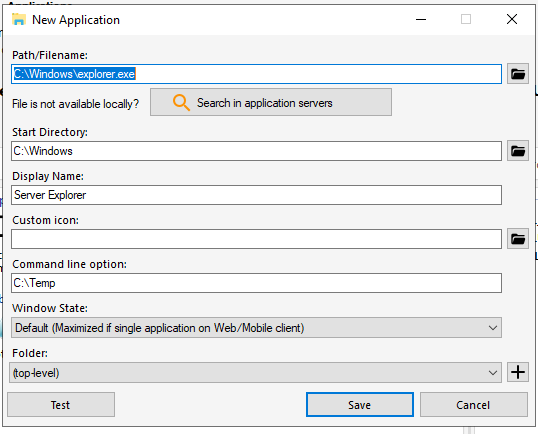
3- Assign another Windows Explorer to this user, pointing to a specific folder of the application server :
Once done, if user connects and drive redirection is enabled, user can drag and drop local files from TS CLIENT Explorer to Server Explorer, and the opposite :