
1. Check the time frame value for ending a disconnected session :
- open the AdminTool > Sessions > Session Management settings
- check the 'Terminate any disconnected session after' field. The default value is 60000 = 10 minutes.
You can change this to your convenience.

The session needs to be allowed to be kept in disconnected state until it gets reconnected.
2. Check the related option from the Web Portal Customization menu or edit the settings.js file :
a) From the AdminTool, just uncheck that box and save the change :
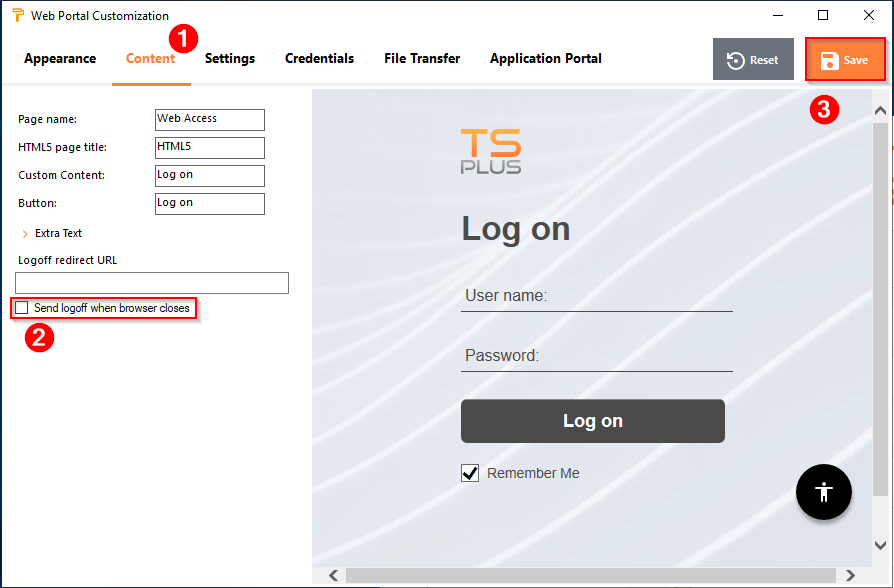
b) HTML5 configuration file edition :
- open a file browser,
- go to 'tsplus\Clients\www\software\html5',
- open 'settings.js' with Notepad or any other text editor,
- search the 'W.send_logoff' variable and change 'True' to 'False' : W.send_logoff = false;
If true, by event of browser closing (if notified by browser), the session disconnects and logoff command gets sent to session
- once the setting edited, just refresh client the web browser cache to apply the change.