
When an issue appears, it is recommended to enable the creation of logs and check them.
The Support Team might also need the logs to understand the issue you are dealing with.
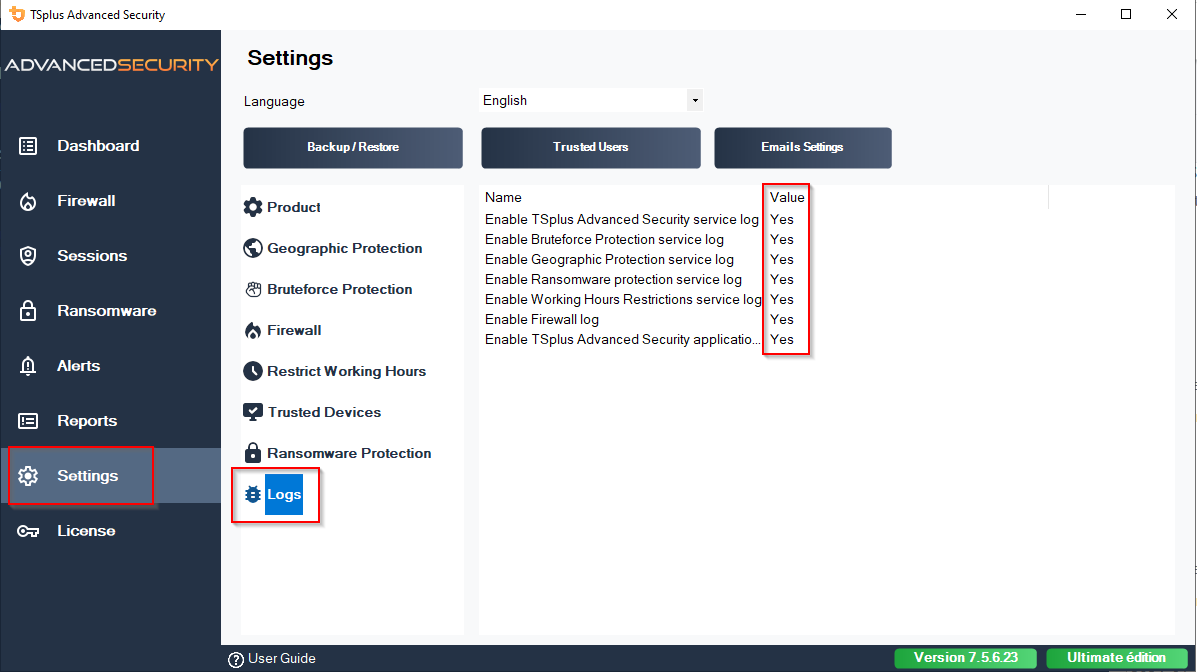
To activate the creation of logs:
- open Advanced Security
- go to 'Settings'
- go to 'Advanced'
- go to 'Logs'
Then activate the necessary logs.
NB: log generation can consume ressources. We recommend activating the log creation only when needed.
To retrieve the logs, open an Explorer and head here:
C:\Program Files (x86)\TSplus-Security\logs
https://docs.tsplus.net/advanced-security/advanced-logs/
Even easier, you can now enable troubleshooting mode from the license menu. This will automatically enable all TSplus Advanced Security logs, and the resulting .zip file will contain all the details the support team needs to investigate efficiently :
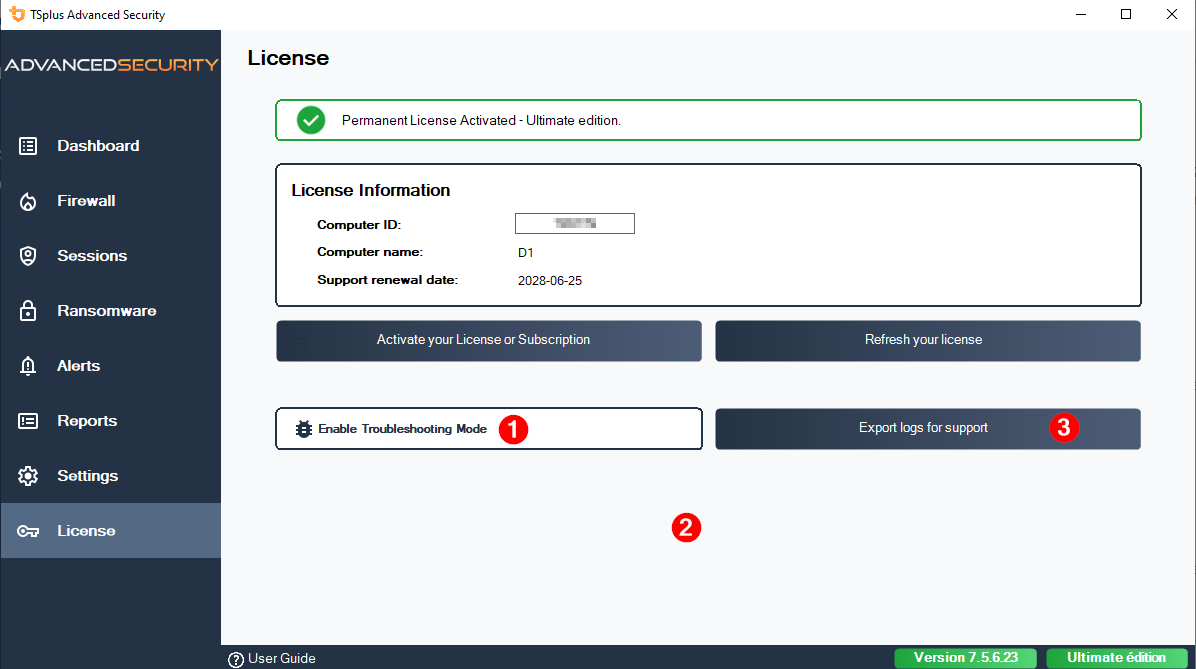
1 = Enable troubleshooting mode
2 = Reproduce the issue to generate useful entries
3 = Collect logs for support
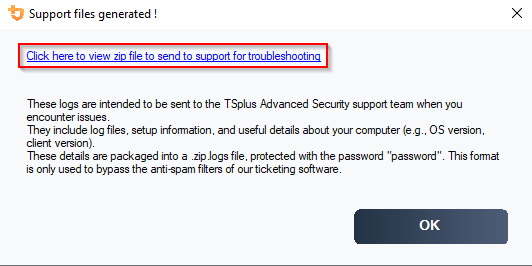
The ".zip.log" file will be generated in "C:\Program Files (x86)\TSplus-Security\support"